 Open sourceSelf-hostedMIT
Your personal
WhatsApp bot.
AI, commands and useful everyday tools inside WhatsApp — self-hosted on your Android phone, your own machine or a server.
58 commands · AI agent · runs where you want
Levix
Two commands. That's the setup.
npm install -g levix-botlevixThe npm package is levix-bot; the CLI command stays levix. Needs Node.js 24 or newer. All install methods
On Android, or prefer Docker or a standalone executable? See every way to run Levix
The command system
One chat.
A lot you can do.
58 commands across AI, personal tools, groups, media and scheduling — every one of them renameable, re-permissionable or switchable off from the panel.
An agent, not a chat box
Levix
online
!gemini what's new in Node 24?AI
An agent,
not a chat box.
!gemini can search the web, open a page and read it, check Wikipedia or the news, save things to its long-term memory and hand out bot roles — across several tool rounds, narrating the whole run inside a single message it keeps editing.
- Gemini, OpenAI, Anthropic, or any OpenAI-compatible endpoint — switch providers from the panel, no restart
- Model discovery lists every model your key can use, and detects vision and speech-to-text support automatically
- Long-term memory in plain Markdown, plus a personality file you rewrite from the panel
- Replies in Arabic or English — auto-detected, or set for good with !lang
Levix
online
!gemini what's actually new in Node 24?LevixPersonal tools
A toolbox that lives
where your thumb lives.
To-dos, private debts, saved notes — the small things you'd otherwise scatter across five apps, folded into one conversation with yourself.
It's your bot: the todo list is yours, the debts are yours, and the chat is the one you already open fifty times a day.
!todo add Call the bankThe list you'll actually check — it lives in the chat you already have open.
!debtPrivate debt tracking, kept between you and the bot.
!notesNotes with keywords you set once and recall forever.
Friday Friends
8 members · 3 admins · Levix is admin
Groups
Keeps the peace
while you're away.
Welcome messages for new members, anti-link and anti-spam that enforce themselves, media rules, warnings with auto-kick — plus the usual !group kick, promote, demote and tagadmins when you want to do it yourself.
- Welcome messages
- set per group, with variables
- Anti-link + anti-spam
- rules that run without you
- Warnings
- auto-kick at the limit you choose
- Rules & notes
- !rules anyone can recall
Scheduling
Send it now.
Or send it at 9.
One-off messages with !schedule, recurring ones with !autoschedule. Stored in the database, listed in the panel — not in a cron file you'll forget exists. A failed send shows its status, with a retry button right there.
!schedule "09:00 01-09-2026" "Pay the server bill"!autoschedule daily 09:00 Standup in 10 minutesTomorrow
07:30
— nothing scheduled —
09:00
Pay the server bill
Levix · scheduled💡 Pay the server bill21:00
— nothing scheduled —
Reply to any voice note and get the text back — transcribed by Gemini or OpenAI/Groq Whisper, whichever key you've set.
“Meeting moved to 5, bring the report”
!qr
A QR code from any text or link
!shortlink
Long URL in, is.gd link out
Media
Voice, QR codes
and tidy links.
Turn text into a voice note and back again, stamp out a QR code, shrink a monster URL — the small media chores, handled inside the conversation.
Transcription rides on whichever AI key you've already set up for the chat agent — no extra service to configure.
Web panel
Configure Levix
from your browser.
There is no config file to edit and no key to generate — the database is the source of truth, and the panel is how you edit it. Change the prefix, permissions, API keys or tuning while the bot runs: it applies to the very next message.
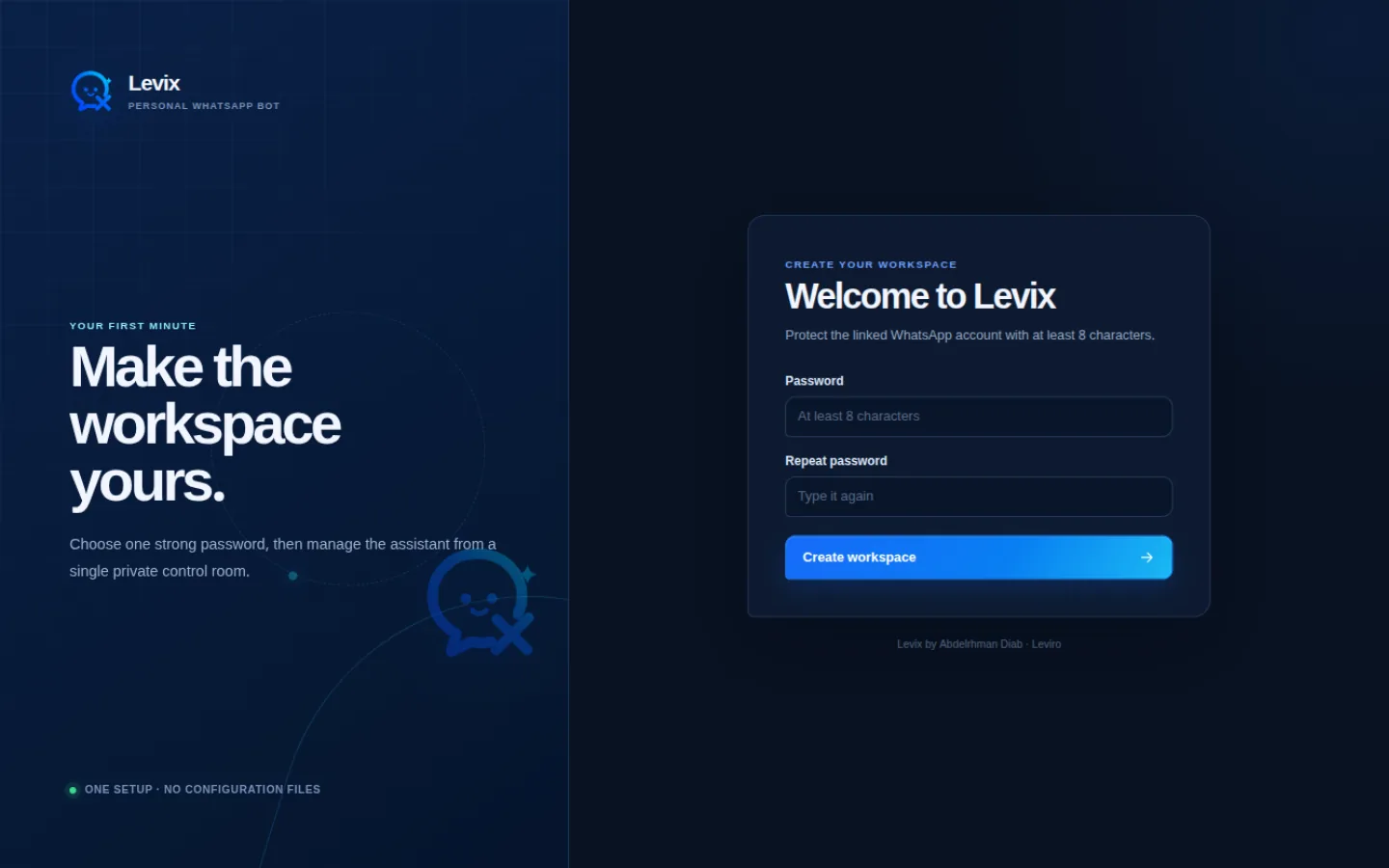
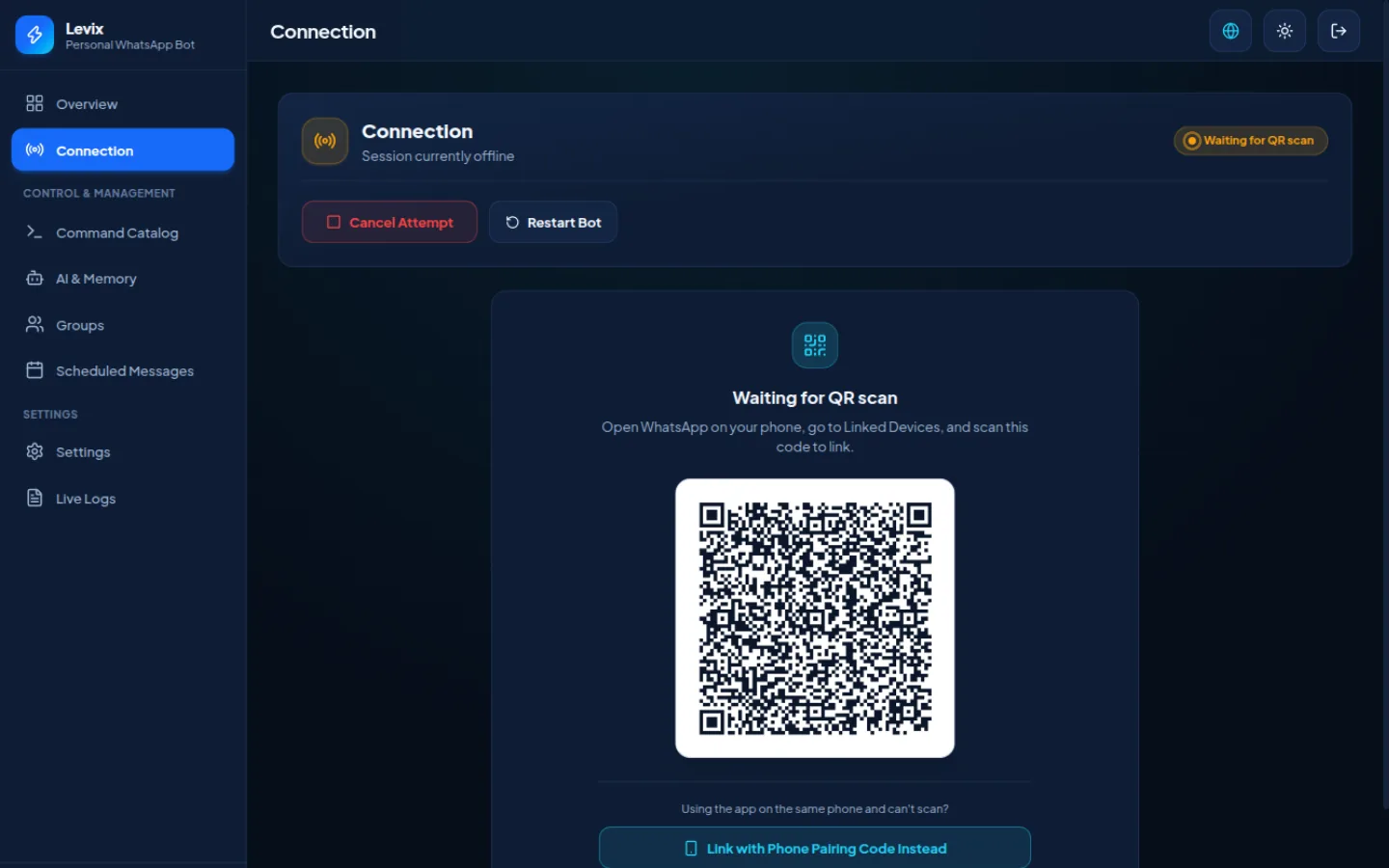
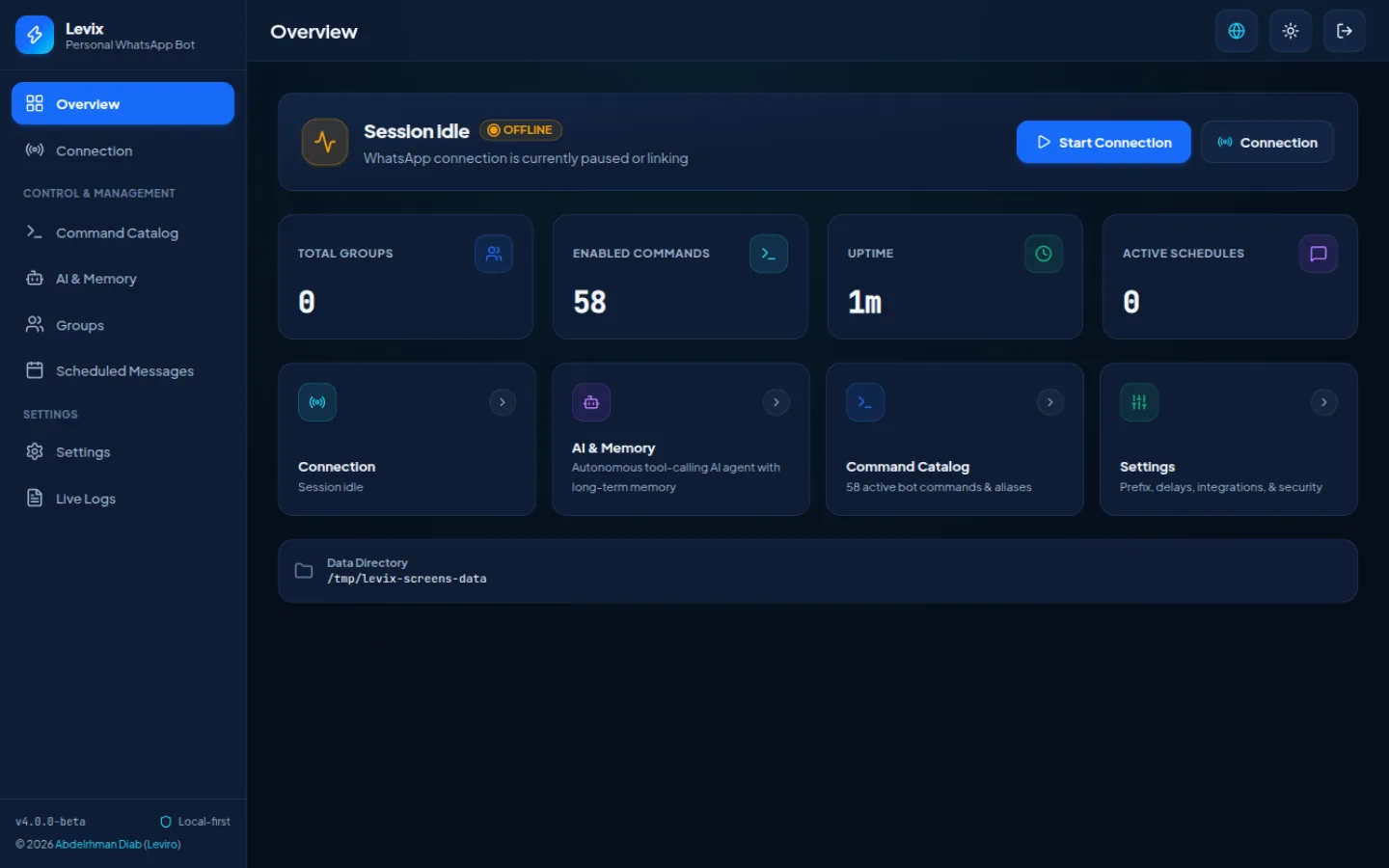
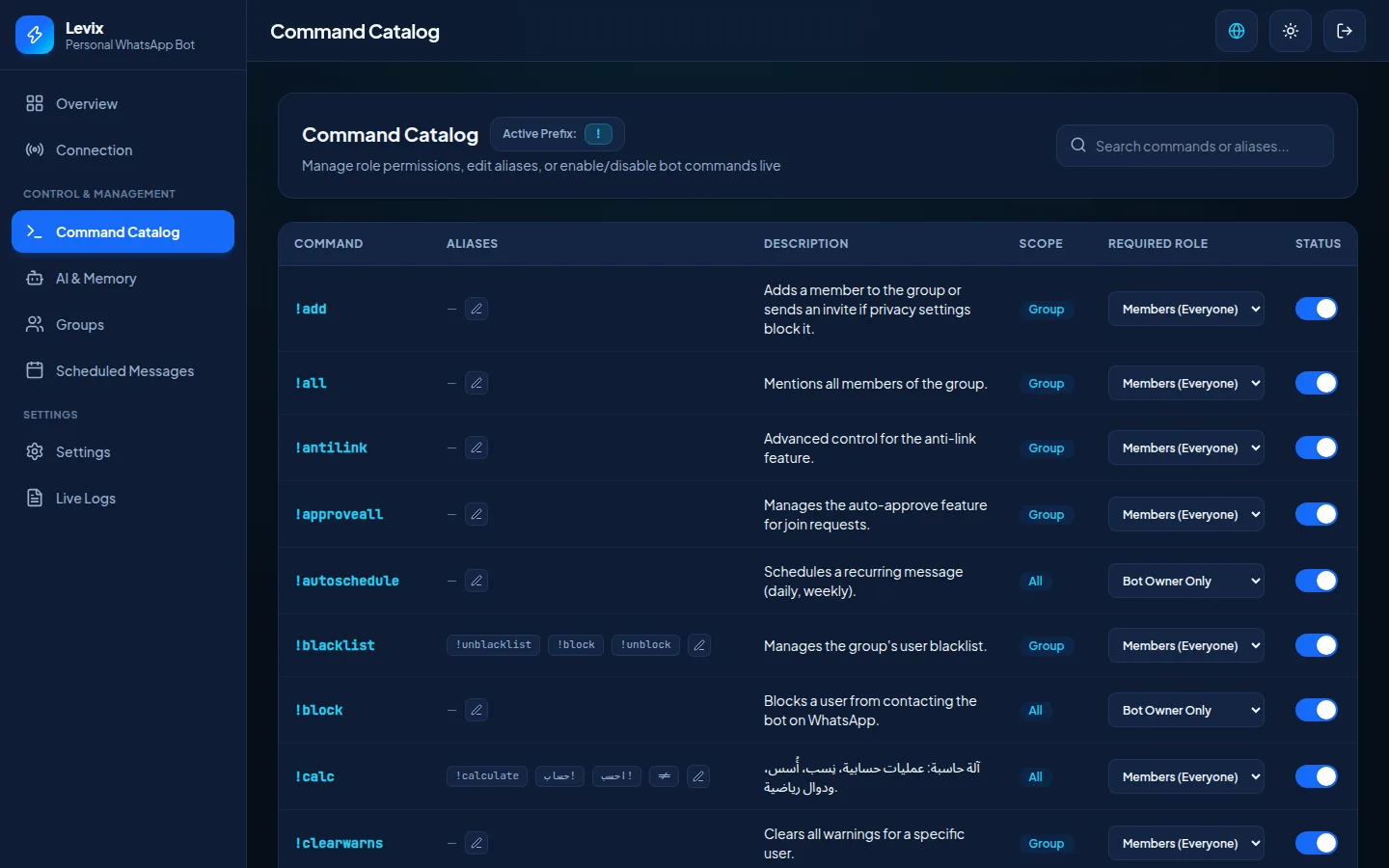
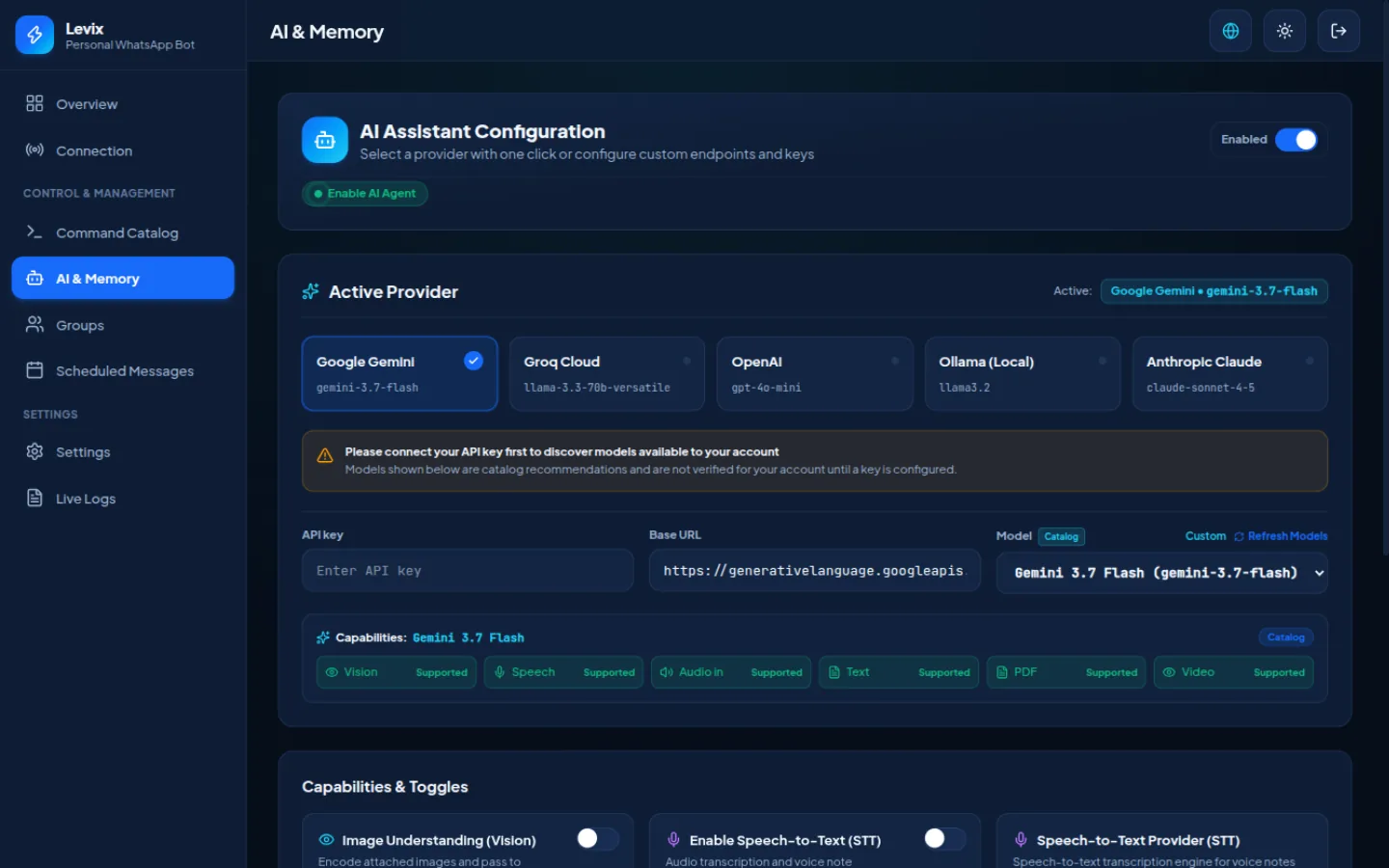
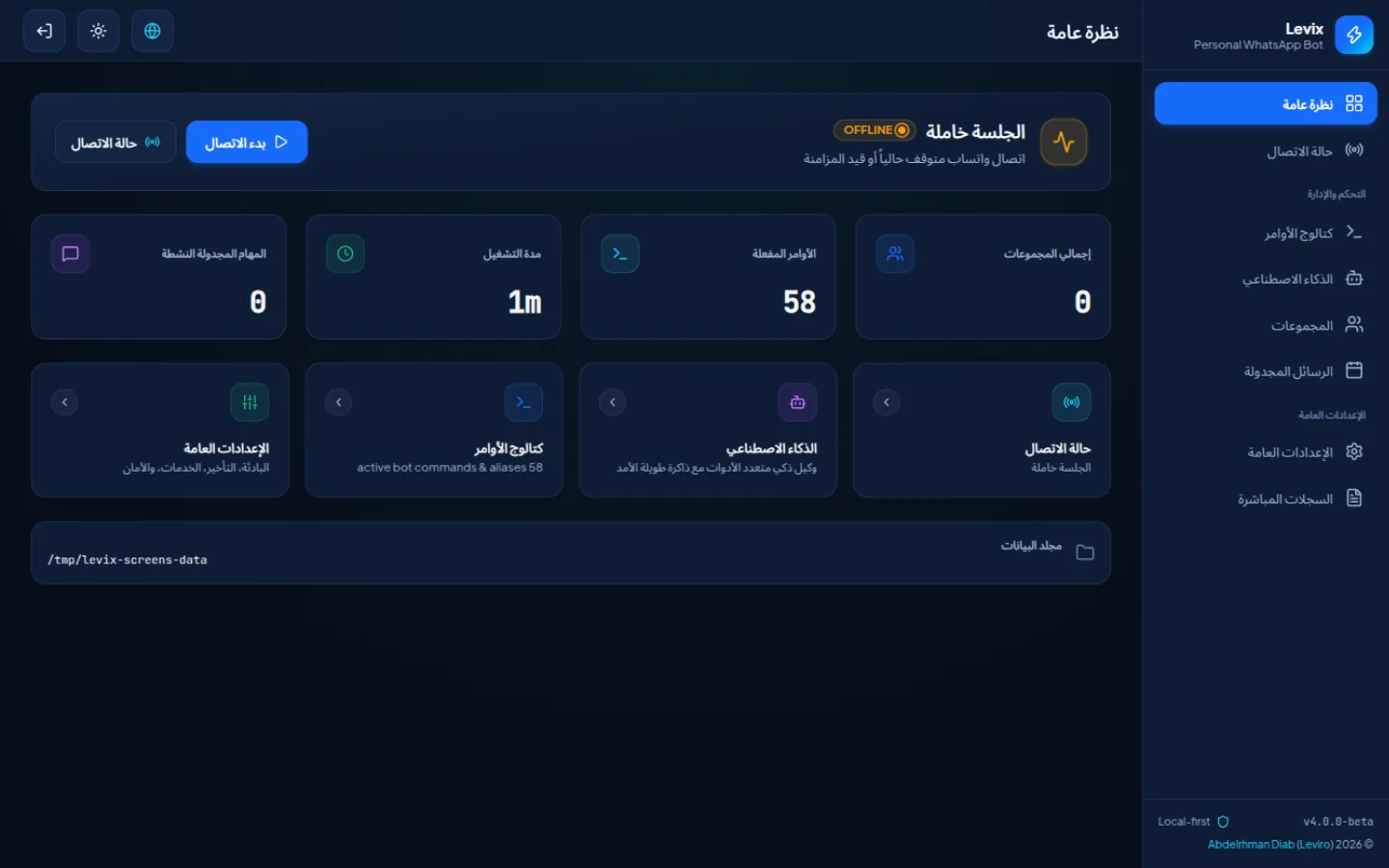
The first thing Levix asks for is a panel password — there is no default login to forget to change, and nothing shorter than eight characters is accepted.
Captured from Levix v4.0.0-beta running on Linux at 1440×900. Unretouched — down to the throwaway /tmp data directory this test instance was pointed at.
Android
No VPS.
Just your phone.
Levix packages its whole stack into one Android app — its own Node.js runtime, SQLite and FFmpeg, no Termux and nothing else to install. Runs on Android 10+ on ARM64 — almost every phone made since 2016 — with an ARMv7 APK for the remaining 32-bit phones.
- Local web control panel, in-app or in Chrome
- A foreground service keeps it running, screen off
- Comes back on its own after a reboot
- Reconnects automatically when the connection drops
- Pair WhatsApp by QR or by pairing code
- FFmpeg bundled — voice notes and thumbnails, no extra setup
Levix HostNode: running (PID 1842)
WhatsApp: Connected
Open panel
http://127.0.0.1:3001
Headless
No web UI.
No open port.
Just Levix.
On a server you may not want a panel at all. levix headless runs the bot and nothing else — no Express, no socket.io, no listener. An unpaired install prints its QR straight to the terminal.
levix headlessYou can switch modes freely — the data directory is the same either way.
How it works
Up and running in minutes.
No config file, no keys to generate, no database server. A password in the browser and one QR code — that's the entire ceremony.
Install
One npm command — or the VPS installer, Docker, or a standalone executable.
$ npm install -g levix-botStart Levix
Run levix. On a desktop the panel opens in your browser by itself.
$ levix● runningPair WhatsApp
Scan one QR from WhatsApp → Settings → Linked devices. Like WhatsApp Web.
Done
Send !ping anywhere. The bot answers. That's the whole setup.
!ping → Pong! 🏓
Self-hosted
Your bot.
Your data.
Levix runs on the machine you put it on — your laptop, a mini PC under the TV, or a VPS. The runtime state lives next to it: SQLite through Node's own node:sqlite module, so the whole datastore is one file with zero dependencies. No database server, nothing to compile.
- Everything mutable lives in one directory — database, WhatsApp session, memory files, logs.
levix whereprints it; copying it is a full backup — the WhatsApp session included, so moving machines means no rescan.- You own the deployment: you start it, you update it, you stop it.
- Levix stores its local state and WhatsApp session on your device. AI features may send the content required for a request to the AI provider you configure — security & privacy details.
your account, linked like WhatsApp Web
Levix
the bot, self-hosted
SQLite
~/.levix./datalevix-data volumeapp-private storage (net.leviro.levix)Distribution
Same Levix.
Your environment.
One codebase, six ways to run it. The data directory follows you between them.
Your Android phone
APKNo VPS, no Termux — the APK bundles its own Node.js runtime, SQLite and FFmpeg. Android 10+, ARM64 or ARMv7, a foreground service keeps it alive.
Your desktop
npmnpm install -g levix-bot — the panel opens in your browser, data lands in ~/.levix. A laptop that's usually on is enough.
A Linux VPS
install.shThe installer sets up a hardened systemd service that starts on boot and survives restarts — it comes back without you.
Docker
composegit clone, docker compose up -d. Nothing on your system but the container; everything the bot owns lives in one volume.
Terminal only
headlesslevix headless — no panel, no port, no listener. The QR prints straight into the terminal on first run.
Standalone executable
binaryA single file that carries its own Node, its own SQLite and all 58 commands. Copy it to a machine with nothing installed and run it.
Open source · MIT
Open source.
Built in the open.
The whole bot — every command, the panel, the packaging — is public. Read it before you run it; that's the point.
- License
- MIT
- Commands
- 58
- Runtime
- Node 24+
- Author
- Leviro
Make WhatsApp yours.
Install Levix and turn your WhatsApp into a personal toolbox.
npm install -g levix-bot · MIT · self-hosted